Free on iPhone & iPad
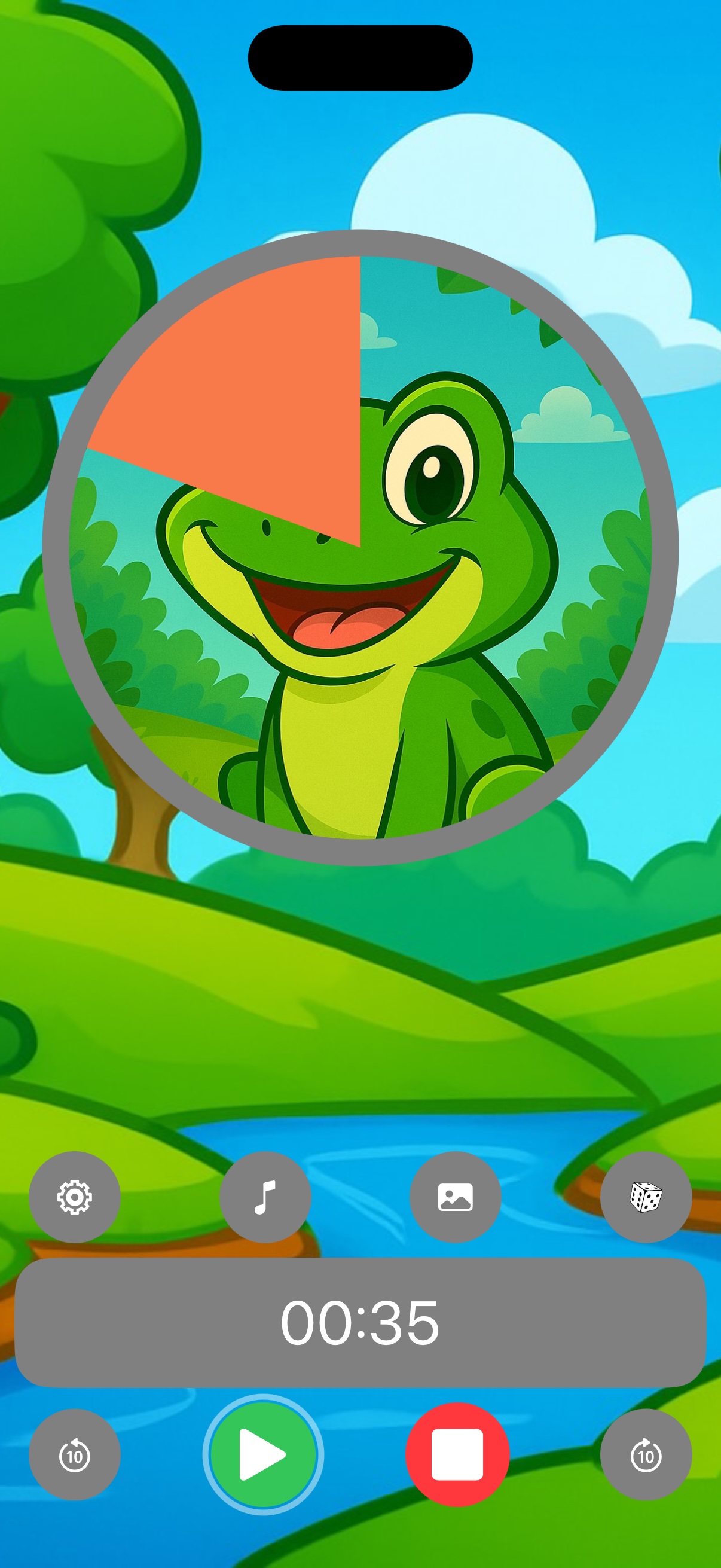
“Five more minutes” means nothing to a child — until they can see it. As the visual countdown runs, a picture is slowly revealed, so kids understand time, finish tasks and switch activities without the battle.
4.6 · 1,400+ App Store ratings · Ages 4+
Loved by parents of toddlers & kids with ADHD or autism — and by teachers in real classrooms.
Best for: children aged 2 to 6 who can't read a clock yet and respond to a picture appearing rather than a disappearing disk. Also used for ADHD and autism routines and in classrooms.
If you want a Time Timer alternative app for iPhone or iPad, our side-by-side page compares Visual Timer for Kids with the Time Timer app and the physical Time Timer. For six visual timer apps side by side, see our full comparison.
Download
No account, no reading skills required. Set a time, pick a picture, press start.
Download and use free, with optional premium pictures, music & backgrounds. Family Sharing supported.
Rated 4.6 out of 5 by more than 1,400 parents and teachers on the App Store.
English, Spanish, French, German, Japanese, Arabic, Chinese and more — for iPhone, iPad and Apple Silicon Macs.
Screenshots
200 kid-designed pictures, 27 backgrounds, 20 music themes, 10 time's-up sounds — or reveal your own photos.
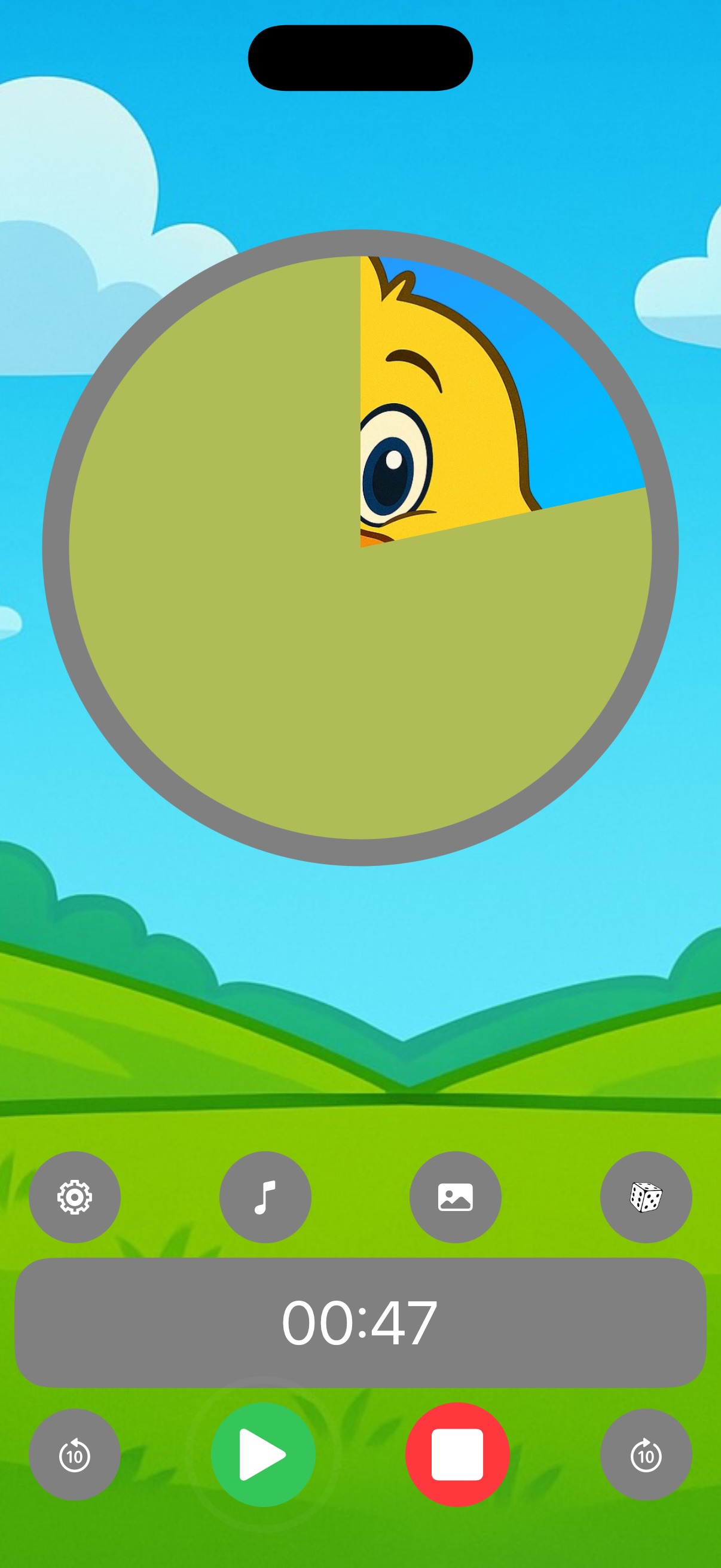
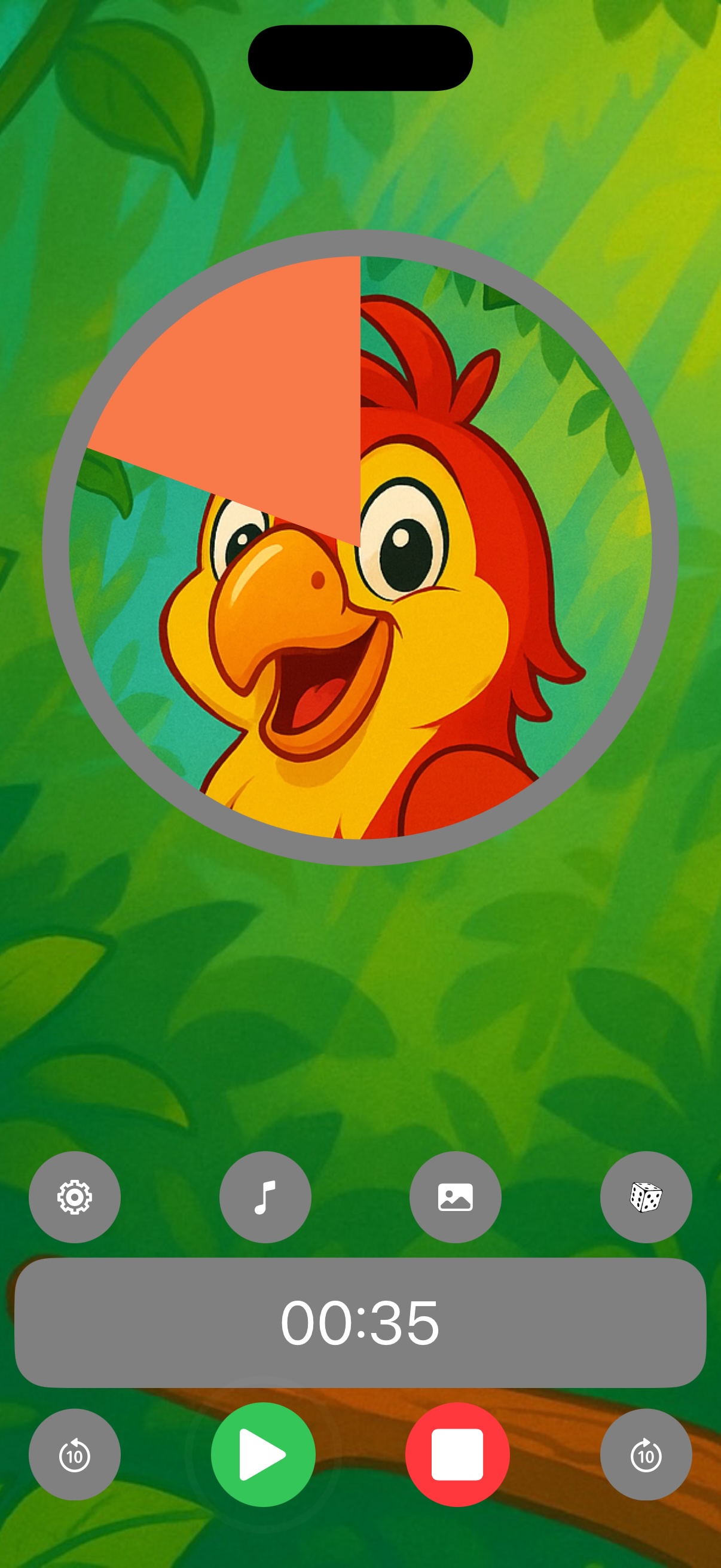
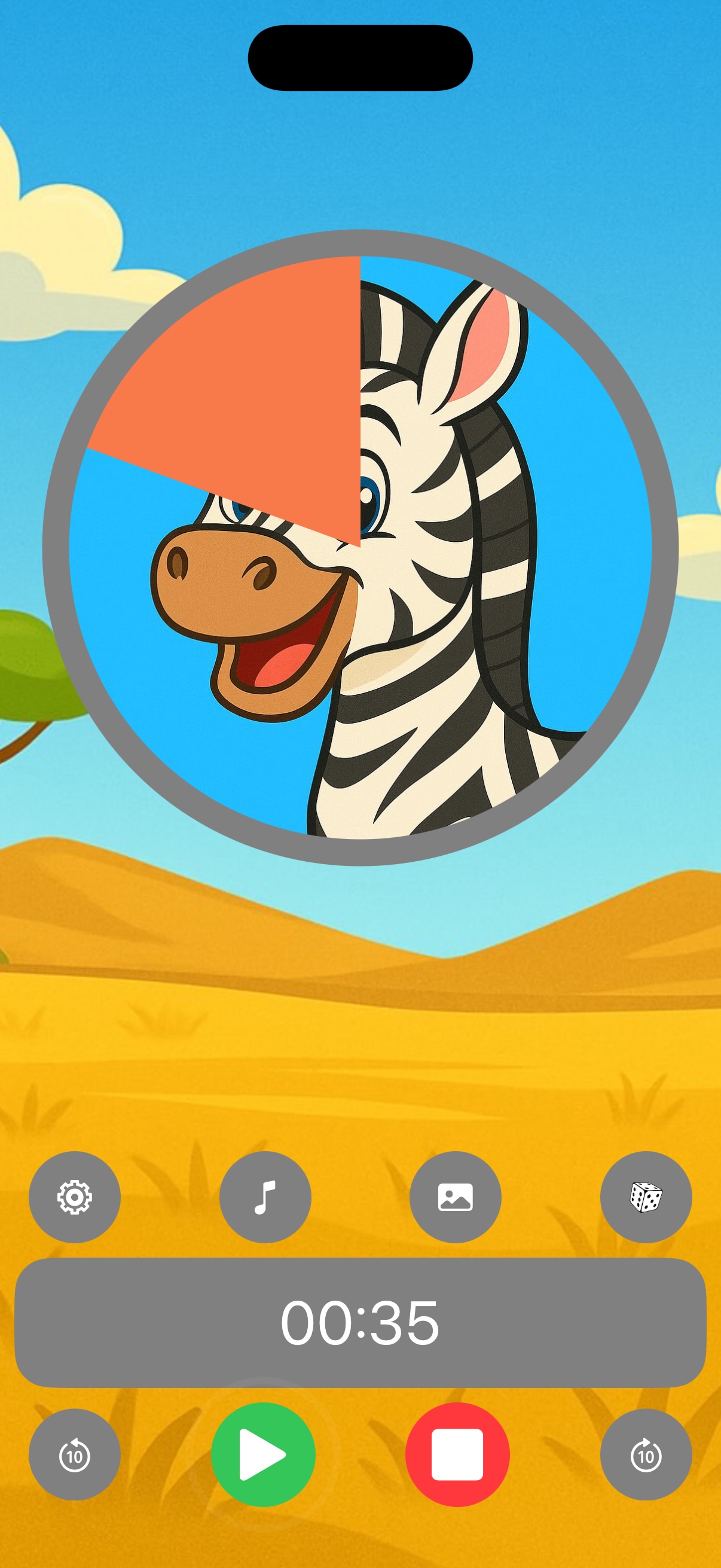
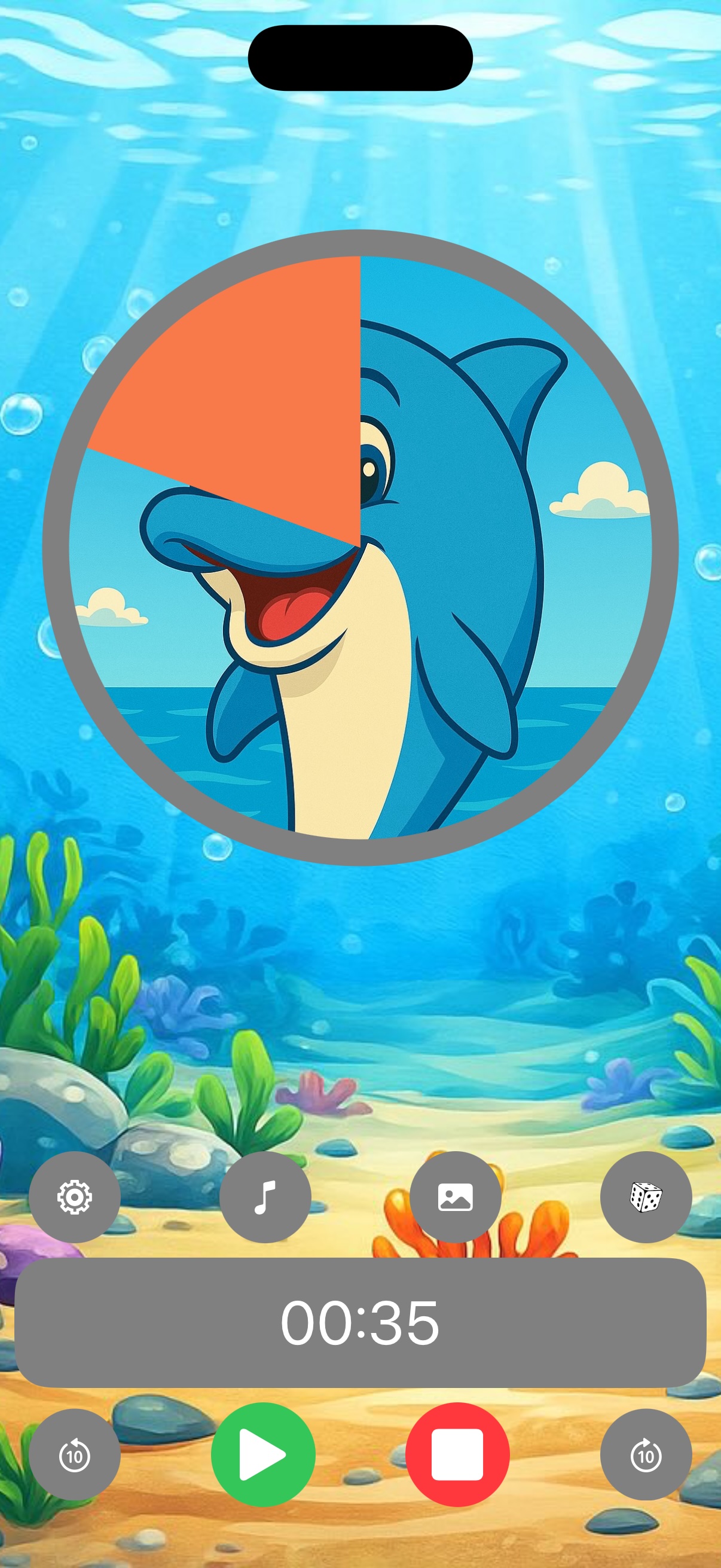


How it works
Homework for 20 minutes, screen time for 15, tooth brushing for 2 — any duration, down to the second.
Choose one of 200 kid-designed pictures — or a photo of grandma, the dog, or Saturday's park trip — and it hides behind the timer.
The picture is revealed as time passes. A 3-2-1 final countdown, a celebration and a friendly alert mark the end — even if the app is in the background.
Guides
Practical, step-by-step guides for the routines parents search for most.
Six iPhone and iPad apps side by side: free tier, price model, ads, parent lock, sounds off. Includes Time Timer alternatives.
Compare the apps → 🔄Our picture timer next to the Time Timer app and the physical Time Timer: how time is shown, free version, ads, parent lock, devices.
See the comparison → 🏆The broad comparison — Time Timer, Visual Countdown Timer, the best free Android option and the physical device, including where our own app falls short.
Read the comparison → 🧠Beat “time blindness”: make homework, chores and transitions visible for ADHD brains.
Read the guide → 🧩Use a countdown as a visual support for predictable, low-anxiety transitions.
Read the guide → 📱The screen-time timer routine that hands the “bad guy” role to the timer, not you.
Read the guide → 🧸How 2–5 year olds who can't tell time learn waiting, sharing and “five more minutes”.
Read the guide → 📚Focus sprints, breaks and a finish line your child can literally see.
Read the guide → 🏫Centers, clean-up, circle time and turn-taking with one iPad at the front of the room.
Read the guide → 🪥Make the dentist's two minutes fun: brush until the picture appears.
Read the guide → 🌅Get dressed, eat, shoes on, out the door — on time, without nagging.
Read the guide → 🌙Wind-down countdowns that make lights-out expected instead of resisted.
Read the guide → ⏳Why time is abstract for young children — and how to make it concrete at home.
Read the guide →FAQ
Join thousands of parents and teachers using Visual Timer for Kids for calmer mornings, easier homework and screen-time handoffs without tears.
⬇ Download free on the App Store Visual Timer for Kids
